
Mac clipboard manager comparison
Maccy vs Paste vs Cliptop
Maccy, Paste, and Cliptop all provide searchable clipboard history, previews, organization, and paste actions, but they optimize for different people. Maccy is the focused open-source Mac option. Paste is the polished collaborative clipboard library. Cliptop is the local-first clipboard command center with Semantic Search, snippets, Smart Actions, and private sync across Mac, iPhone, and iPad.
 Try Cliptop free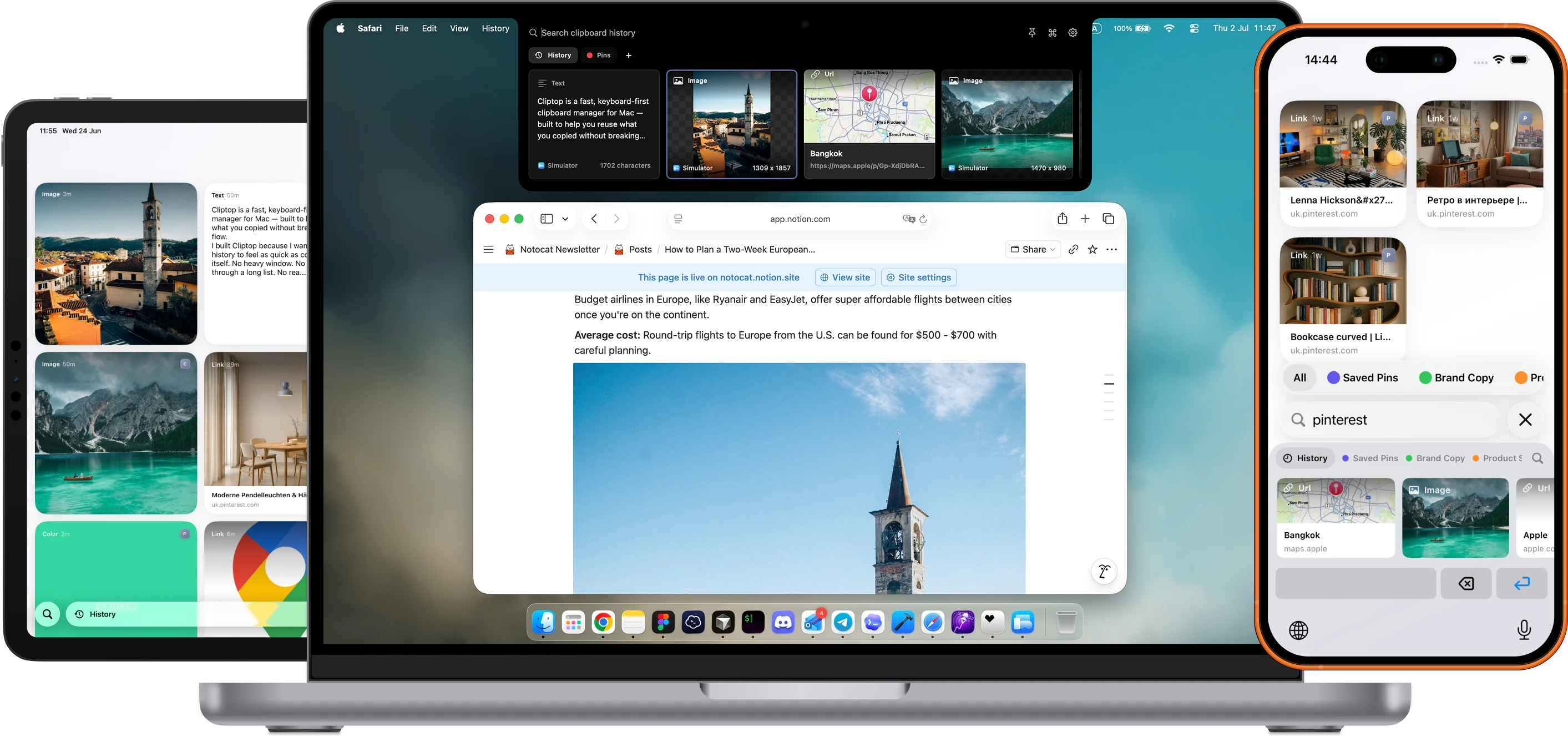
Best Cliptop fit
You want history to become searchable, reusable working material.
If fast local history is the whole job, Maccy may be enough. If you want a polished shared library, Paste is stronger. If you want to find a clip by meaning, organize it, reuse it, or act on its content without leaving your current workflow, Cliptop is the clearer match.
Minimal history
Maccy
Free, open-source clipboard history with a simple keyboard-first workflow.
Cross-device library
Paste
A polished clipboard library for people who want Mac, iPhone, and iPad apps.
Connected action workflow
Cliptop
Local-first Mac history with Semantic Search, Pinboards, snippets, actions, and private sync across Apple devices.
Where Cliptop pulls ahead
Built for finding, reusing, and acting on copied work.
Find the idea, not only the words
Search exact text, text recognized inside images, or use Semantic Search when you only remember what a clip was about.
Reuse more than recent history
Group clips into Pinboards, browse Library view, and expand snippets with template variables in any app.
Keep the next action close
Clean URLs, transform code, inspect colors, edit images, preview files with Quick Look, or create a Calendar event from copied details.
At a glance
Different tools for different clipboard jobs.
If you are deciding between them, look past the basic "clipboard history" label. The daily difference is how fast you open the tool, where your copied items live, and whether you can act on an item once you find it.
Core job
- Maccy
- Fast clipboard history
- Paste
- Cross-device clipboard library
- Cliptop
- Local-first history, reusable content, and context-aware actions
Access model
- Maccy
- Menu bar and shortcut
- Paste
- Shortcut and visual clipboard history
- Cliptop
- Notch hover, middle-of-menu-bar hover, or Shift + Cmd + V
Search and OCR
- Maccy
- Fast keyword search, including recognized text inside images
- Paste
- Searchable visual history across Apple devices
- Cliptop
- Keyword search, on-device OCR, and Semantic Search by meaning
Organization
- Maccy
- Pinned items at the top of history
- Paste
- Pinboards, shared Pinboards, and a visual clip library
- Cliptop
- Pinboards plus a larger Library view for browsing and organizing clips
Reusable text
- Maccy
- Pinned items, including editable pinned text
- Paste
- Frequently used clips in Pinboards and access through its iOS keyboard
- Cliptop
- Snippets that expand in any app, with template variables for changing details
Actions
- Maccy
- Paste, paste without formatting, previews, OCR text copy, and Shortcuts actions
- Paste
- Multiple-item paste, plain-text paste, preview and edit, custom rules, and Siri Shortcuts
- Cliptop
- Plain-text paste, URL cleanup, Markdown links, code transforms, color and image tools, Quick Look, and Calendar Smart Actions
Storage model
- Maccy
- Local on Mac
- Paste
- Device storage with private iCloud sync
- Cliptop
- Local by default; optional private iCloud Sync
Cross-device behavior
- Maccy
- No built-in app-level sync
- Paste
- Dedicated Mac, iPhone, and iPad apps with iCloud sync
- Cliptop
- Mac, iPhone, and iPad apps with optional private iCloud Sync for clips and Pinboards
History controls
- Maccy
- Local storage controls, ignored copy types, and capture pause
- Paste
- Custom rules for what to keep or exclude
- Cliptop
- Ignored apps, sensitive-item handling, and retention from one day to forever
Open source
- Maccy
- Yes
- Paste
- No
- Cliptop
- No
Pricing
- Maccy
- Free from GitHub or Homebrew; $9.99 on the Mac App Store.
- Paste
- $29.99/year personal plan; $89.99 lifetime option.
- Cliptop
- $0 trial, $9.99/year launch plan, or $19.99 lifetime launch plan.
Best fit
- Maccy
- Minimal, free, keyboard-first clipboard history
- Paste
- Apple-device sync, pinboards, and organized clip libraries
- Cliptop
- People who want local-first Mac history, deeper retrieval, reusable content, and actions
Tradeoff
- Maccy
- No app-level sync, Pinboards, semantic search, or snippet expansion
- Paste
- A larger library and collaboration workflow may be more than some users need
- Cliptop
- Not open source and does not offer shared collaborative Pinboards
Which should you choose?
Start with the workflow, not the feature count.
These tools overlap enough that a yes/no checklist gets misleading. The clearer question is what you need clipboard history to be in your day.
Simple
Choose Maccy if
- You want free and open-source software.
- You want a fast, focused, keyboard-first Mac utility.
- Pins, previews, OCR search, and plain-text paste cover your needs.
- You do not need app-level sync or deeper organization.
Ecosystem
Choose Paste if
- You want a dedicated clipboard app on Mac, iPhone, and iPad.
- You use Pinboards or shared Pinboards.
- You want a mature premium clipboard library.
- You are comfortable paying for cross-device organization.
Action flow
Choose Cliptop if
- You want clipboard history near the notch, menu bar, or shortcut.
- You want Semantic Search, OCR, Pinboards, Library view, and snippets.
- You want content-aware actions for text, links, colors, images, files, code, and Calendar events.
- You prefer local-by-default clipboard history with no Cliptop cloud account.
- You want private iCloud Sync across Mac, iPhone, and iPad.
Detailed comparison
Where the differences actually matter.
History and search
All three remember copies. They differ in how you find and organize them.
Maccy is intentionally focused, with fast keyword and OCR search, previews, and pins. Paste expands clipboard history into a polished visual library across Apple devices. Cliptop combines a compact Mac panel with Semantic Search, on-device OCR, Pinboards, and Library view, so you can use quick history or browse a larger collection.
Privacy and devices
Cliptop is local-first, with optional private iCloud Sync.
Maccy keeps its history on one Mac. Paste and Cliptop both have dedicated apps for Mac, iPhone, and iPad and use private iCloud for cross-device access. Cliptop stores Mac history locally by default and only syncs clips and Pinboards when you enable iCloud Sync; it does not require a Cliptop cloud clipboard account.
Actions and reuse
Cliptop combines content-aware actions with reusable snippets.
Maccy covers the essentials, including plain-text paste, previews, OCR text copying, and Shortcuts actions. Paste adds multiple-item paste, editing, custom rules, and Siri Shortcuts. Cliptop goes deeper on the selected content with URL cleanup, Markdown links, code transforms, color and image tools, Quick Look, Calendar Smart Actions, and snippets with template variables.
Cost and fit
Pay for the workflow you actually need.
Some people want the lowest-cost history tool. Others want a collaborative clipboard library. Cliptop is priced for people who want a local-first Mac workflow plus private cross-device access, deeper search, reusable snippets, and content-aware actions.
Maccy
The strongest value if you want free, open-source, keyboard-first Mac history and do not need app-level sync, Semantic Search, Pinboards, or snippet expansion.
Paste
The stronger fit if you are paying for a polished clipboard library across Mac, iPhone, and iPad.
Cliptop
Current pricing is $0 trial, $9.99/year launch plan, or $19.99 lifetime launch plan. Purchases are backed by a 30-day money-back guarantee.
Questions
Common questions before switching.
Is Maccy better than Paste?
Maccy is better if you want a free, open-source, minimal clipboard history app. Paste is better if you want a polished clipboard library with dedicated Mac, iPhone, and iPad apps, pinboards, and app-level sync.
Is Cliptop a Maccy alternative?
Yes, if you want to go beyond focused Mac history with Semantic Search, Pinboards, Library view, snippets, cross-device sync, and content-aware actions. Maccy remains a strong fit if you want a free, open-source, keyboard-first history tool.
Does Cliptop work with Universal Clipboard from iPhone?
Yes. Items that reach your Mac through Universal Clipboard can be saved into Cliptop, and Cliptop also has apps for iPhone and iPad. Optional private iCloud Sync keeps clips and Pinboards available across your supported Apple devices.
Does Cliptop sync clipboard history to the cloud?
Cliptop keeps clipboard history local by default. Optional iCloud Sync can sync clips and pinboards through your private iCloud database; Cliptop does not require a Cliptop cloud account for history.
Who should not choose Cliptop yet?
Do not choose Cliptop if you need shared collaborative Pinboards, open-source software, or a broad launcher automation platform like Raycast or Alfred. Paste is the stronger fit for shared Pinboards, while Maccy is the stronger fit when free and open source are the priority.
Checked against official pages
Verify the details before you switch.
Pricing, platform support, and sync behavior can change. These official pages were reviewed on 2026-07-31, so you can check the current details directly.
Cliptop for Mac, iPhone, and iPad
Keep your clipboard history close on every device.
Start with the Mac app, then keep clips and pinboards available on iPhone and iPad with optional private iCloud Sync.