Recover
Bring back copied items without retracing your steps.
Search recent copies by content, type, app context, or visual preview instead of reopening browser tabs, notes, design files, and editors.
 Cliptop
Clipboard manager for Mac
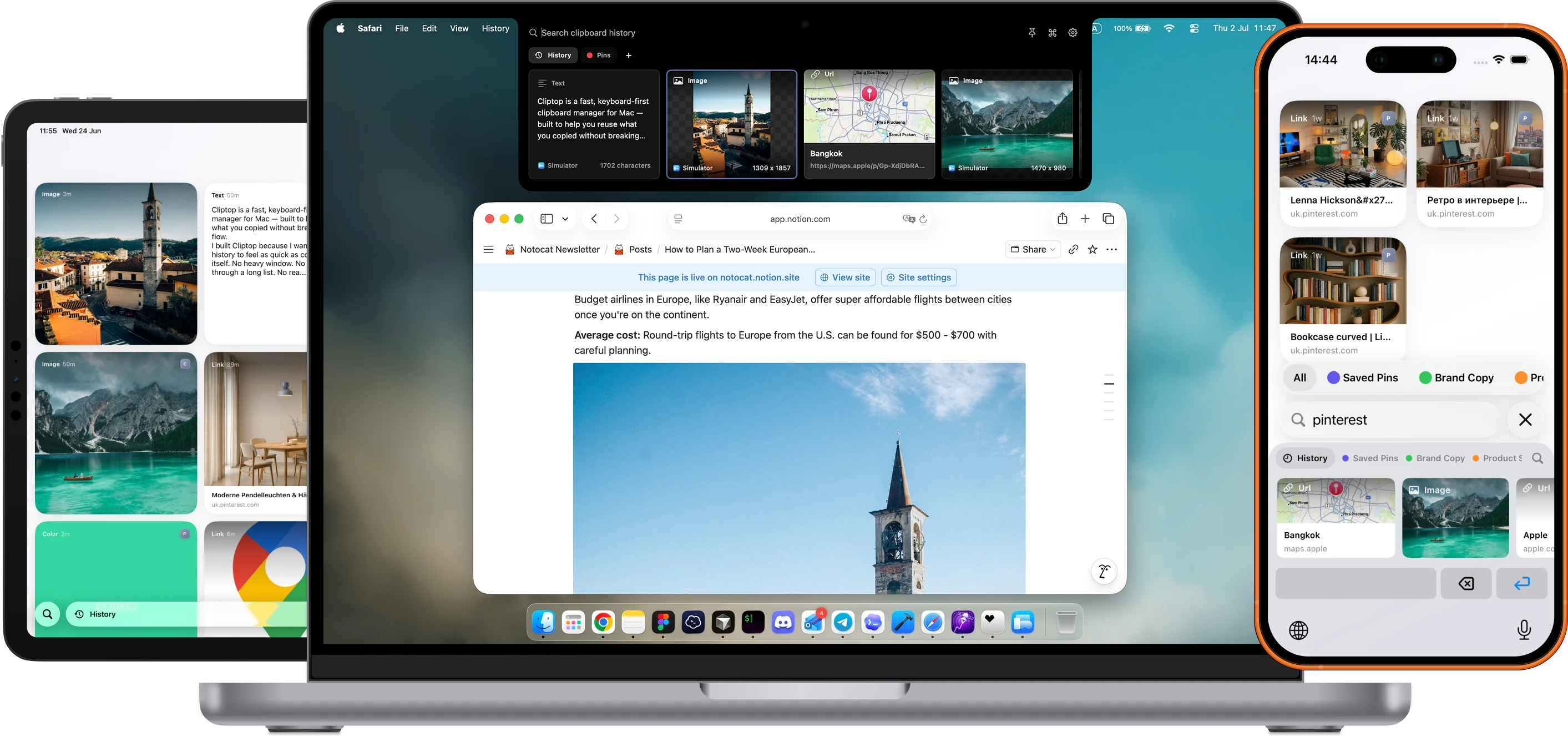
Cliptop keeps recent text, links, code, screenshots, images, files, and colors searchable on your Mac, then gives you the right paste action without making clipboard history a separate workspace.
In daily use
“Cliptop saves me from a surprising amount of context switching. I used to be constantly switching between apps and my notepad copying prompts, links, snippets, and passwords, but having clipboard history right where I'm working with a bunch of keyboard shortcuts makes the whole workflow flow nicely.”

Why it matters
Most clipboard problems are small but constant: a link with tracking junk, a sentence with wrong formatting, a snippet you copied before opening Slack, or a screenshot you need again after another copy replaced it.
Recover
Search recent copies by content, type, app context, or visual preview instead of reopening browser tabs, notes, design files, and editors.
Clean up
Paste plain text, clean URLs, copy links as Markdown, trim snippets, and use format-specific actions from the same place.
Stay fast
Cliptop opens where your attention already is. Search is focused immediately, so the next action is usually a few keystrokes away.
Stay local
Clipboard history can include private links, passwords, customer notes, screenshots, and files. Cliptop stores it locally unless you choose to enable private iCloud Sync.
Workflow
Cliptop is designed around the loop Mac users repeat all day, not a library you need to manage.
Use the notch, menu bar, or Shift + Cmd + V. Search is ready as soon as Cliptop appears.
Look through recent text, links, code, screenshots, files, images, and colors with clear previews.
Paste directly, paste plain text, clean a link, copy Markdown, inspect a color, or restore the item for manual paste.
Private by design
Clipboard history is high-context by nature. Cliptop keeps the product useful while staying plain about where data lives and what permissions do.
Optional iCloud Sync uses your private iCloud database. Clipboard contents are not sent to Cliptop servers.
Accessibility permission enables one-step paste-back. Without it, Cliptop still restores items to the clipboard for manual paste.
Install the app and test the workflow before choosing yearly or lifetime Pro.
Pinned for work
“Cliptop allows me to access links, keys and other commonly used information throughout the workday much easier. No more going between notes. Instead, I have everything pinned and can reuse it anywhere I need.”

Early bird pricing
Try every Pro feature for 7 days, then choose yearly or lifetime.
Trial
Try every Cliptop Pro feature from the Mac app.
7-day trial
 Download free trial
Yearly
Full Cliptop Pro access across your devices for one year.
per year
Lifetime
Best valuePay once and keep Cliptop Pro across your devices.
one-time purchase
Share a video on how you use Cliptop on social media and get Pro for free
Instagram Reels, TikTok, or YouTube Shorts.More devices
Get in touch if you need to cover more Macs, set up Cliptop for your team, or talk through the right plan for your workflow.
Already bought Cliptop?Recover your license key.
Questions
Cliptop combines searchable history with quick actions. You can recover copied items, paste as plain text, clean links, copy Markdown, inspect colors, and paste back into the app you were already using.
Yes. On a Mac or external display without a notch, hover over the middle of the menu bar to open Cliptop, or press Shift + Cmd + V.
Clipboard history is stored locally by default. Optional iCloud Sync can sync clips and pinboards through your private iCloud database, without sending clipboard contents to Cliptop servers.
Yes. The Mac app includes a 7-day full-feature trial with no payment required, plus a 30-day money-back guarantee if you buy Pro and decide it is not a fit.
Cliptop for Mac, iPhone, and iPad
Start with the Mac app, then keep clips and pinboards available on iPhone and iPad with optional private iCloud Sync.