
Cliptop and Maccy
A more visual Maccy alternative.
Maccy is great for a tiny, free history list. Cliptop keeps that quick recovery, then adds previews, pins, clean URLs, Markdown links, colors, images, files, and paste actions.
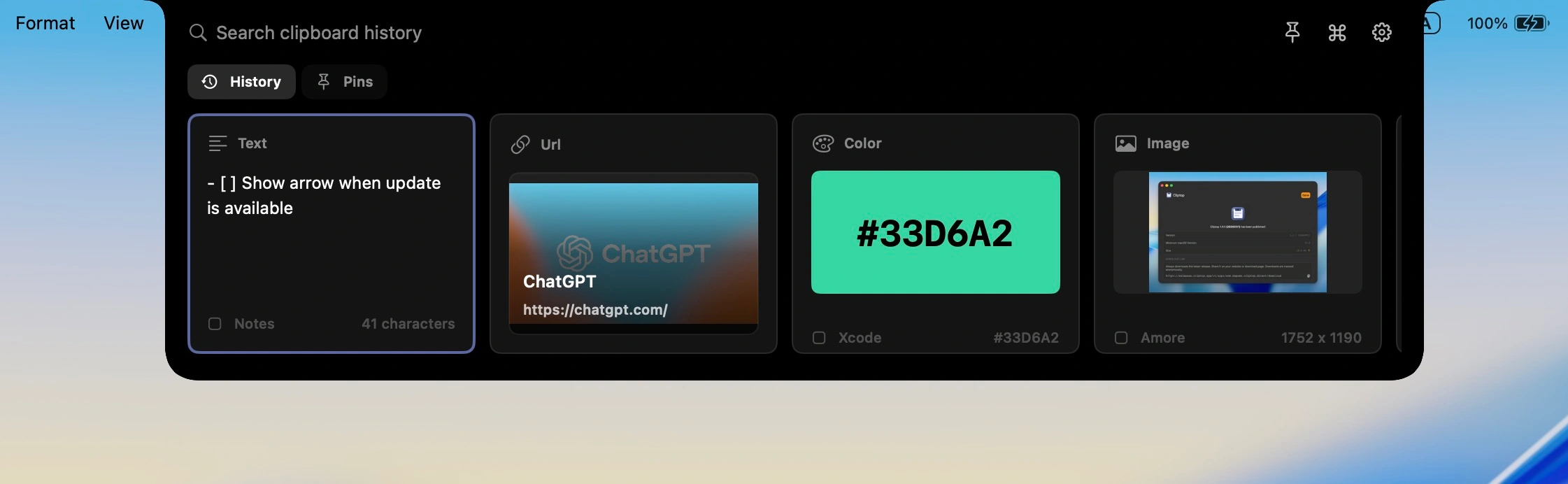
At a glance
Simple list, or richer workflow?
Both recover old copies. Maccy keeps that minimal. Cliptop adds enough interface to preview, reuse, clean up, and pin.
Best fit
- Maccy
- Free, open-source history that stays out of the way.
- Cliptop
- Searchable history with previews, pins, and actions.
Workflow
- Maccy
- Open the list, search, choose, continue.
- Cliptop
- Open, search, preview, then paste or clean up.
Great for
- Maccy
- Text, links, and quick recovery.
- Cliptop
- Text, links, Markdown, colors, images, files, code, and pins.
Tradeoff
- Maccy
- Less visual, fewer built-in cleanup actions.
- Cliptop
- Not open source, and more opinionated.
Price
- Maccy
- Free from GitHub or Homebrew; $9.99 on the Mac App Store.
- Cliptop
- $0 trial, $9.99/year launch plan, or $19.99 lifetime launch plan.
Why people switch
More than history.
When your clipboard has mixed formats, the useful step is usually previewing, cleaning, or pinning.
Preview before you paste
Scan screenshots, images, files, colors, and longer text before they land.
Clean up the copy
Paste plain text, clean URLs, copy Markdown links, or inspect a color.
Keep important clips close
Pin reusable links, snippets, colors, and files without opening another notes system.
Which one should you use?
Pick by workflow.
Choose Maccy if
- You want something free and open source.
- You mostly need recent copies.
- You prefer a tiny menu-bar utility.
- You do not need previews or actions.
Choose Cliptop if
- You want a more visual clipboard workflow on Mac.
- You copy links, images, files, colors, and snippets.
- You want preview, clean, paste, pin, and reuse in one place.
- You like local-first history with optional private iCloud Sync.
Questions
Before switching.
Is Cliptop better than Maccy?
It depends. Maccy is better for a free, open-source history list. Cliptop is better if you want previews, pins, and paste actions too.
Is Maccy still a good choice?
Yes. Maccy is a strong choice if you want lightweight, keyboard-first clipboard history.
Can Cliptop replace Maccy?
For many Mac users, yes. Cliptop covers searchable history and adds actions for text, links, colors, images, files, and pins.
Does Cliptop keep clipboard history local?
Yes. Cliptop stores history locally by default. Optional iCloud Sync can sync clips and pinboards through your private iCloud database.
Official details
Check current details.
Pricing and platform details can change. These pages were reviewed on 2026-06-30.
Cliptop for Mac
Add Cliptop to your Mac workflow.
Download the app, try every Pro feature, and decide after it has been in your workflow.